JST ERP New Feature Updates in November 2026 | 16.11.2026
As businesses handle more orders, products, suppliers, and warehouse activities, the ability to access the right information at the right moment becomes increasingly important.
The new JST ERP update for November 2026 introduces improvements across Order Management, Purchase Order Management, Warehouse Operations, and other supporting services. Teams can now search for products more easily when splitting orders, manage order changes directly from Chat, add invoice information after shipment, and include Pickup Codes in exported delivery data.
Purchase and warehouse workflows have also been enhanced with more complete recipient information, improved VAT display, expiry date exports, operation log improvements, and warehouse based reconciliation filters.
1. Order Management
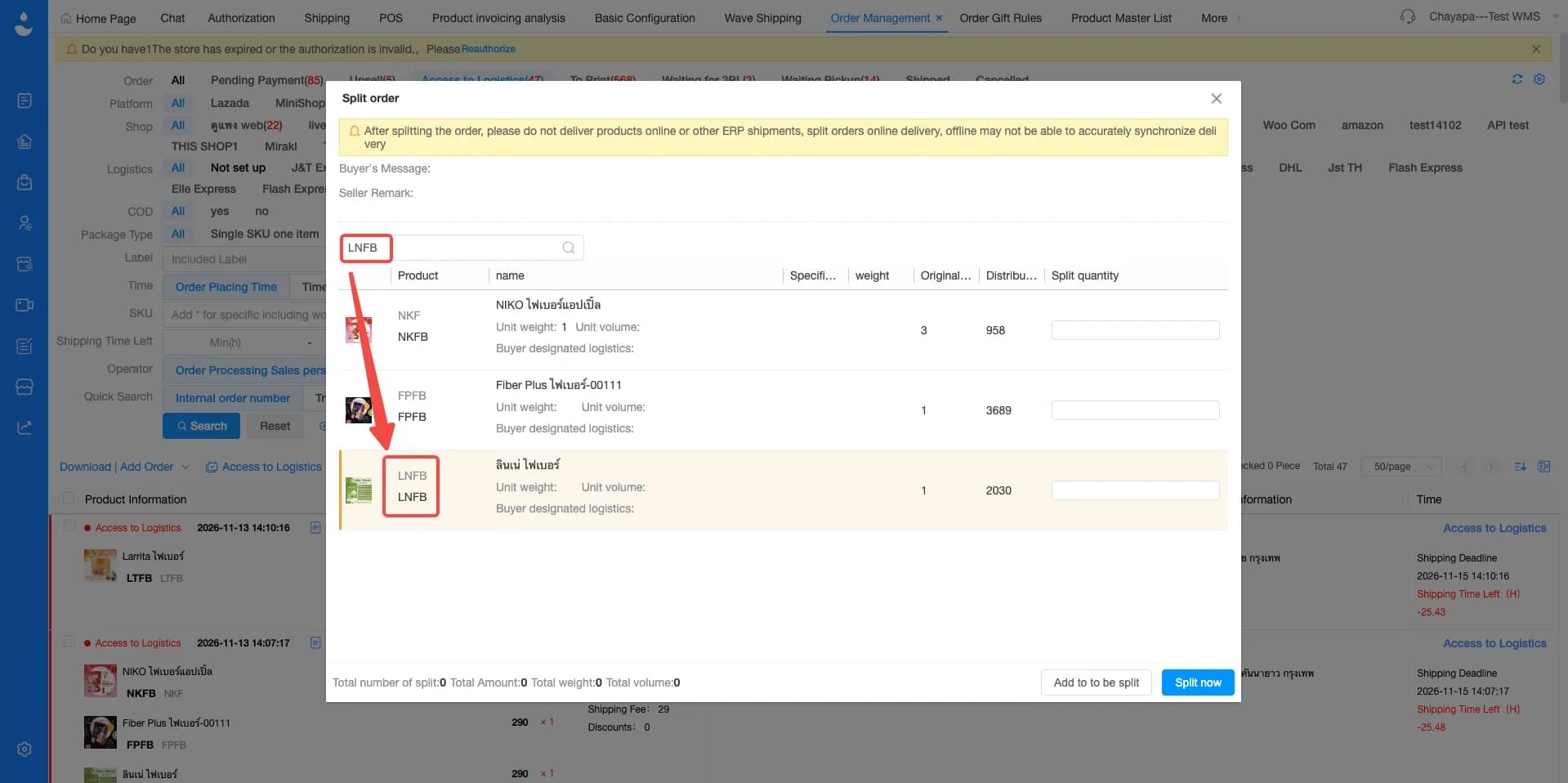
1.1 Split orders now support product SKU search
Menu: Order Management › Order › Split Order
JST ERP now supports searching for products by SKU during the Split Order process. When an order contains many products, users can enter the product code to quickly locate the item they want to separate into another order.Searching by SKU helps users locate the exact item more directly and is particularly useful when product names are similar or when one order contains a large number of SKUs.
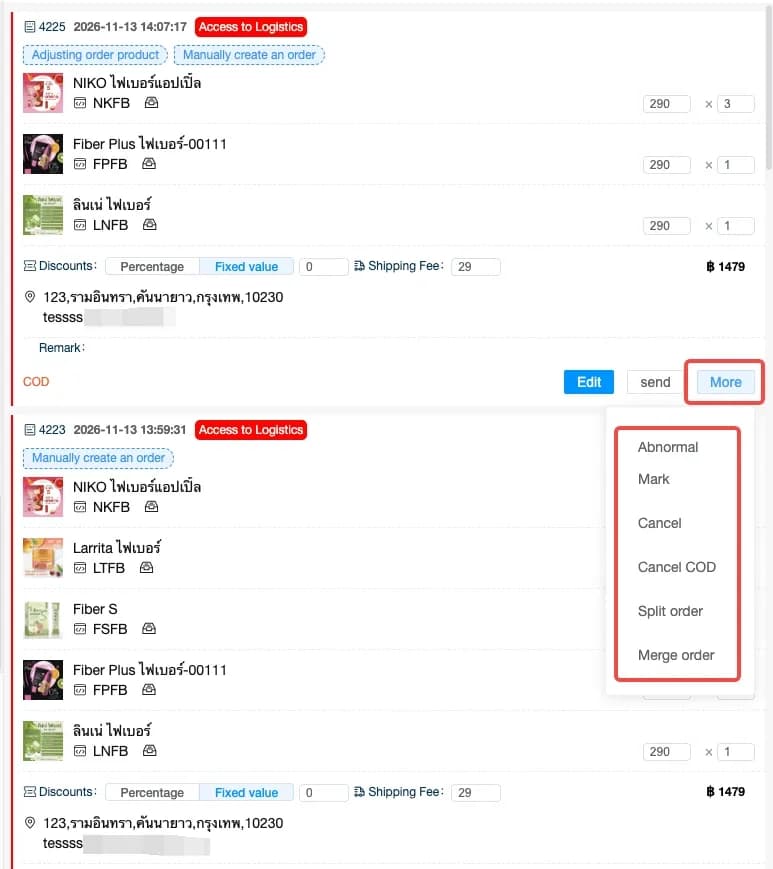
1.2. Chat now supports merge order and split order operations
Menu: Chat › Order › Order Operation
Customer service teams can now merge or split buyer orders directly from the Chat interface. Users no longer need to leave the conversation and open the Order Management page to perform these operations. This makes Chat more useful as a complete customer service workspace rather than only a messaging interface.
1.3 Invoice information can now be added to shipped orders
Menu: Order Management › Order › Invoices
Invoice information can now be added to orders that have already been shipped. JST ERP has also resolved an issue that could cause invoice information submission to fail when the recipient street number was not provided.
This update gives merchants greater flexibility to handle these requests without requiring invoice information to be completed before shipment. It also supports more address scenarios when preparing invoice information.
1.4 Order export data now includes pickup codes for instant and same day delivery
Menu: Order Management › Order › Order Export Customization
Pickup Code has been added to customized order export data for supported Instant Delivery and Same Day Delivery orders. Warehouse staff and delivery personnel can access the Pickup Code directly from the exported order file.

1.5 Retrieving order tags for TikTok after-sales orders: Package Lost
Menu: Order Management › After Sales Order
JST ERP has fixed an issue where the "Package Lost" order tag from TikTok could not be retrieved and displayed correctly for after sales orders. The relevant tag can now appear in JST ERP when the information is provided by TikTok.
2. Purchase Order Management
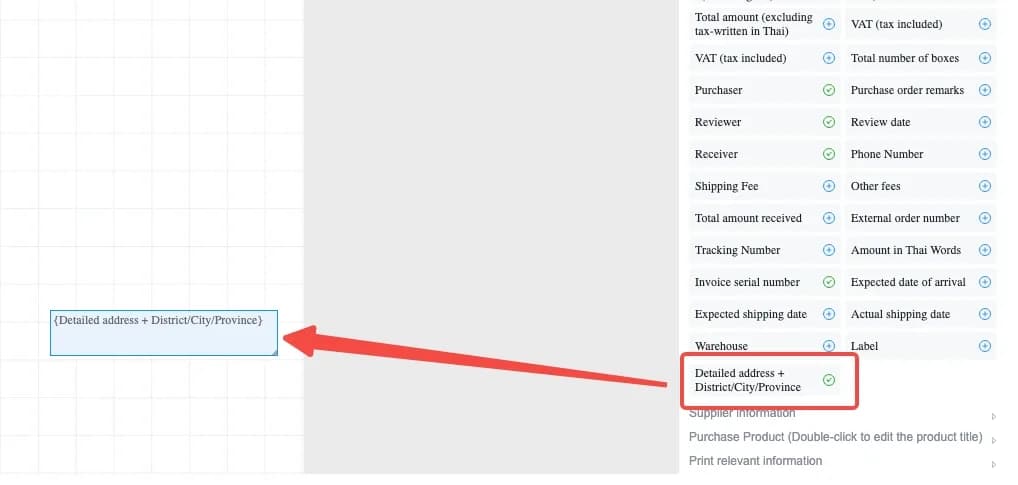
2.1 Purchase order printing templates now include the consignee’s detailed address
Menu: Purchase Order Management › Purchase Order › Printing Templates
Purchase Order printing templates now support displaying the recipient’s detailed delivery address. Suppliers can receive more complete delivery information directly from the Purchase Order document.
2.2 Purchase order printing templates optimization of the VAT (tax-inclusive) field
Menu: Purchase Order Management › Purchase Order › Printing Templates
The VAT inclusive field in Purchase Order printing templates can now display values using either two or four decimal places.
Some purchasing calculations may require a higher level of decimal precision, especially when unit prices or VAT calculations involve values beyond two decimal places. The additional display option allows businesses to choose the level of precision that better matches their purchasing and accounting requirements.

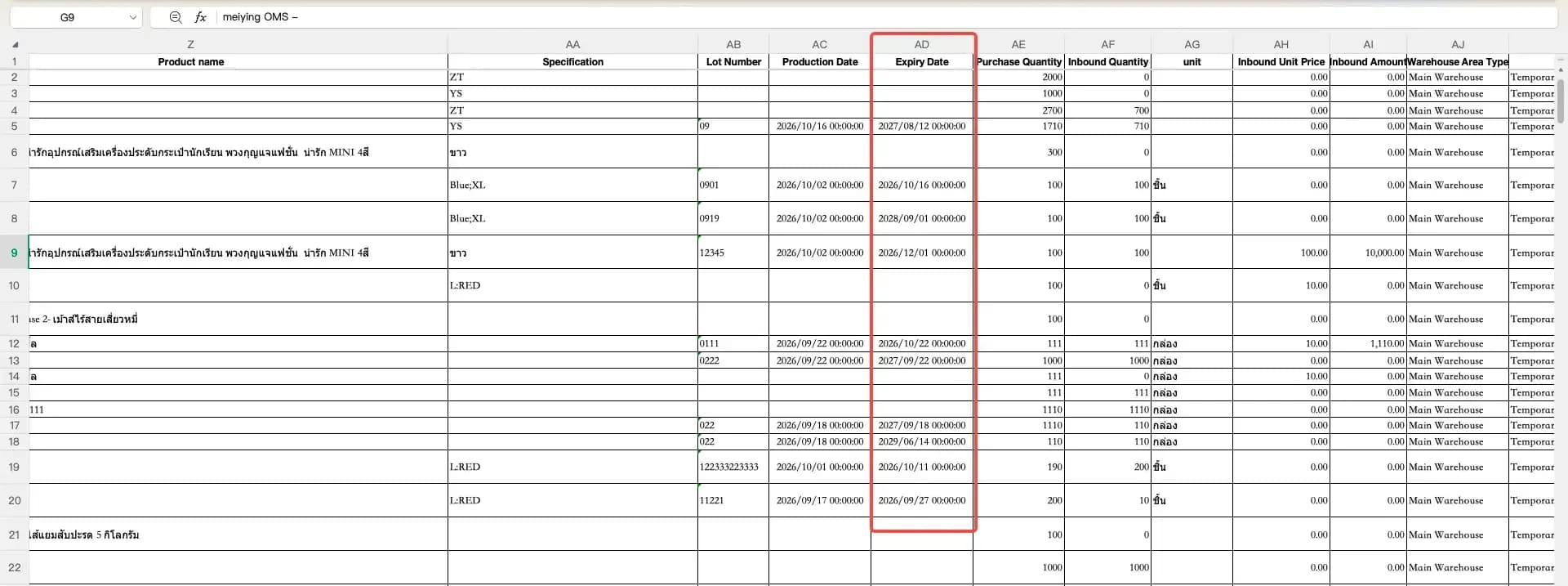
2.3 Inbound purchase export details now include expiry dates
Menu: Purchase Order Management › Inbound Purchase Management › Export Detail
Expiry Date has been added as a field in exported Inbound Purchase Management details. Warehouses and purchasing teams can review product expiry information directly from the exported file. This is particularly useful for products with limited shelf life such as food, beverages, cosmetics, and other date sensitive goods.
3. Warehouse
3.1 Imported zone inventory remarks are now recorded in product operation logs
Menu: Warehouse › Zone Inventory
JST ERP has fixed an issue where remarks included during Zone Inventory imports were not recorded in the Product Operation Log. Imported remarks will now appear together with the related operation history. When users review product history later, they can see not only that an inventory operation occurred but also the remark that was entered during the import.
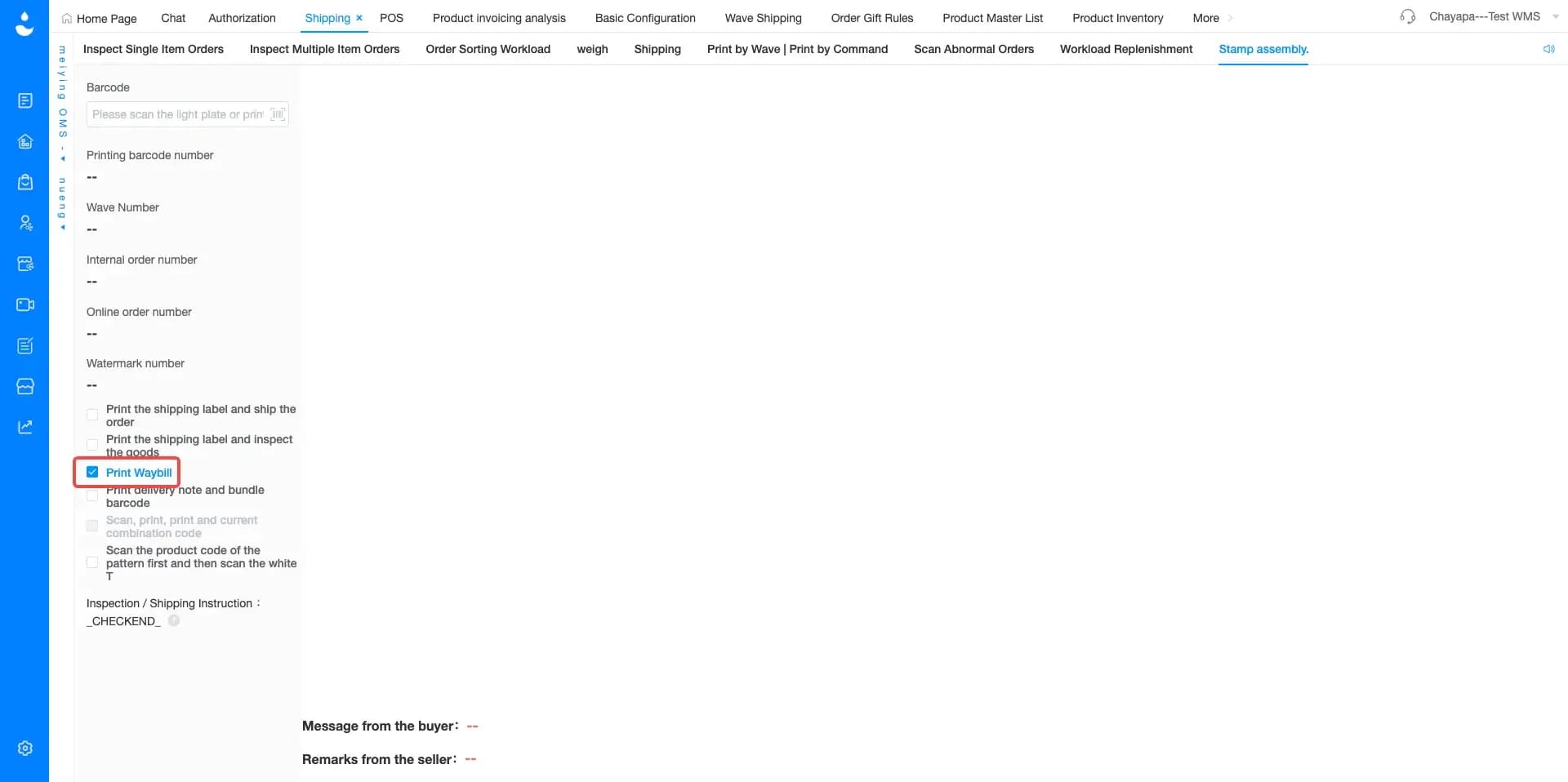
3.2 Stamp assembly now supports print waybill only mode
Menu: Warehouse › Stamp Assembly
During the Stamp Assembly process, users can now choose to print only the waybill without printing other related documents at the same time. Warehouse teams can print only the document required for that particular workflow.
This helps avoid unnecessary printing when other documents are not needed and is useful for operations where the waybill is the only document required for the next stage.
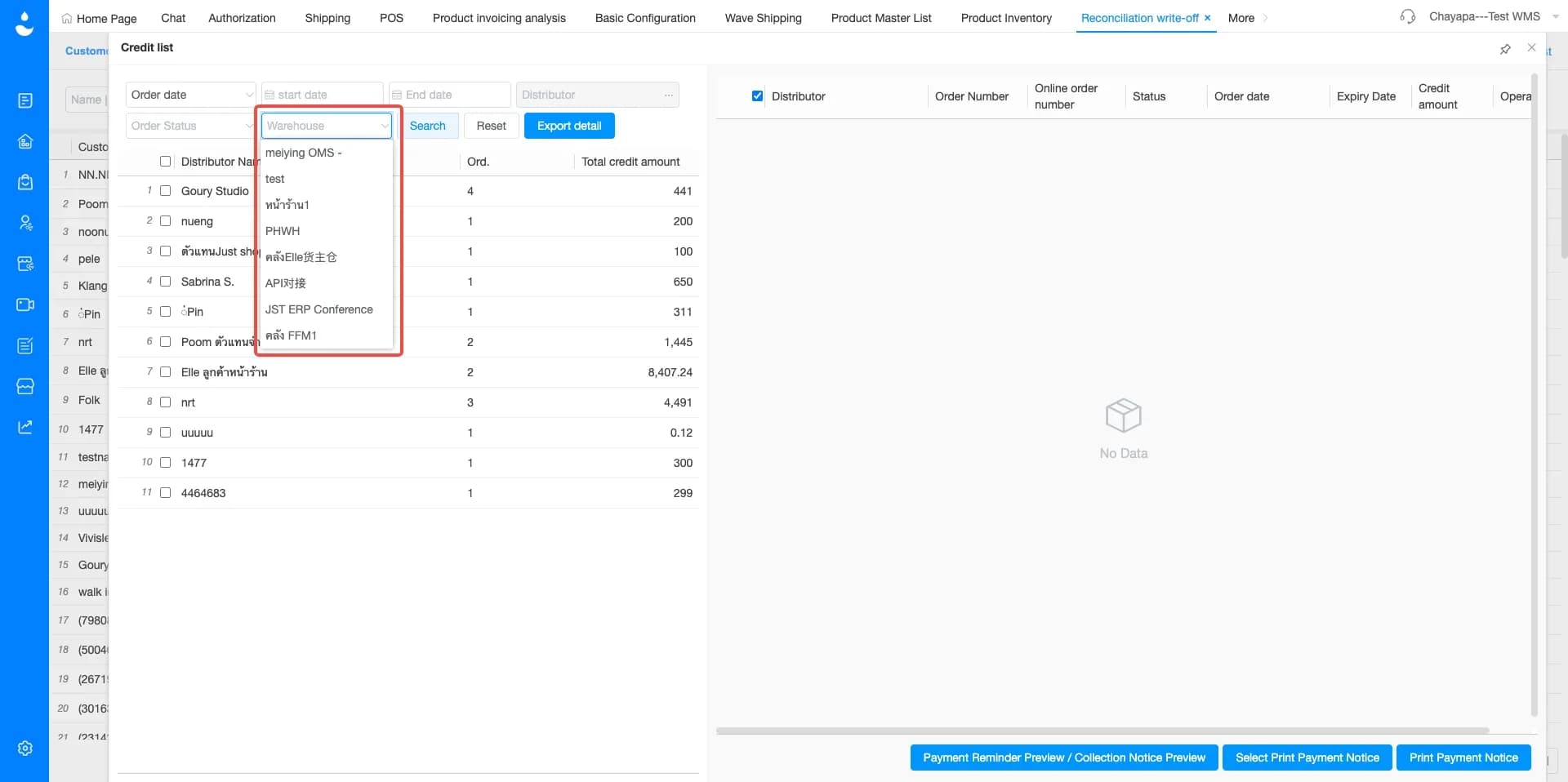
3.3 Credit list now supports filtering distributor billing details by warehouse
Menu: Reconciliation Write Off › Credit List
A warehouse filter has been added to the Credit List. Users can now review distributor billing details based on the selected warehouse. Businesses operating several warehouses can separate billing information according to the warehouse responsible for the transactions.
If you're looking for a system to help manage orders, inventory, and warehouse management in one place, JST ERP is designed to support growing online businesses.
Interested in learning more? Get a free consultation with our team.
Leave your information in the form below and our team will contact you shortly.
👉🏻 Click here 👈🏻
JST ERP Together, Empowers You